Internal linking strategy: how to help Google and readers find the pages that matter
Internal links are the one SEO signal you fully control. How to build a pillar and cluster structure, what anchor text to use, where links belong and how to find pages nothing links to.
SEO6 min read

Internal linking means connecting pages on the same site with links in body copy, menus and footers, so that both readers and Google can reach the important pages and understand what each one is about. It is the only SEO signal you fully control: no outside sites, no budget, and the effect usually shows within weeks. Important pages should sit no more than three clicks from the homepage, and every page should have several links pointing to it from related content.
On almost every site we audit we find the same pattern: blog posts that never link to services, services that never link to each other, and half the older articles with no links pointing to them at all.
Key takeaways
- Internal links pass importance from stronger pages to weaker ones and help Google discover them.
- Pillar and cluster: one main page per topic, several supporting pieces, all connected.
- Anchor text describes the destination: "ecommerce SEO checklist", not "click here".
- An orphan page has no internal links pointing to it and is hard for Google to find.
- Key pages: no more than three clicks from the homepage.
Why internal links affect rankings
Three reasons, each sufficient on its own.
Discovery. Google finds pages by following links. A page with no internal links depends on the sitemap alone, and those pages often end up as "Discovered, currently not indexed" in Google Search Console.
Importance. A page that many other pages link to looks more important. The homepage and your most-visited articles carry the most weight and pass it on through links.
Context. The anchor text and the sentence around it tell Google what the destination page is about. "Shopify SEO" says more than "here".
Structure: pillar and cluster
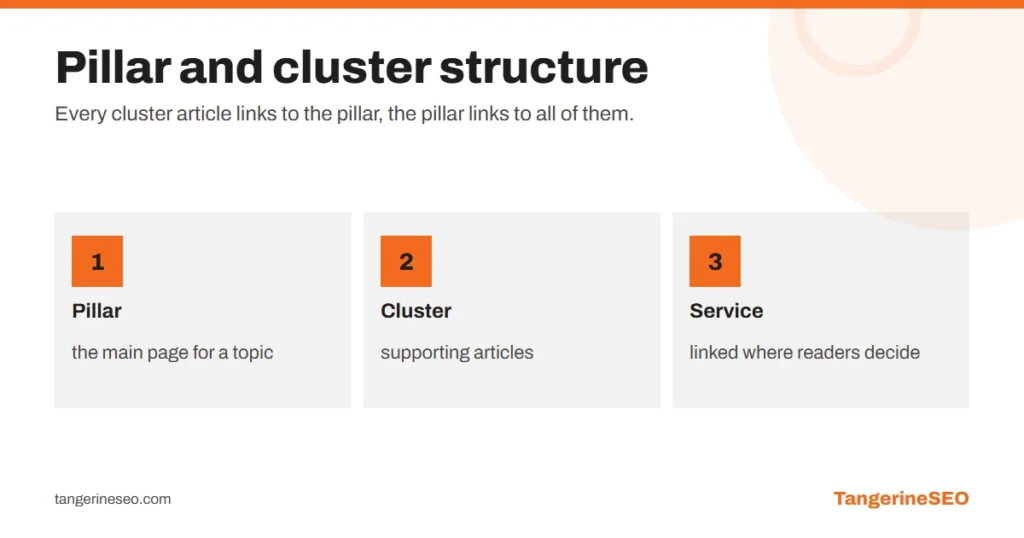
The clearest way to organise content is a pillar page for a broad topic and a cluster of supporting articles covering narrower questions.
| Role | Example for an SEO agency | How it links |
|---|---|---|
| Pillar | Ecommerce SEO guide | to every article in the cluster |
| Cluster | category pages, product descriptions, store speed | to the pillar and to each other where it makes sense |
| Service | ecommerce SEO service | from the pillar and articles, where the reader decides |
This is how Google sees that a site covers a topic fully, not with a single article. It is what people call topical authority. Our ecommerce SEO guide works as a pillar of this kind.
Anchor text: how to write it
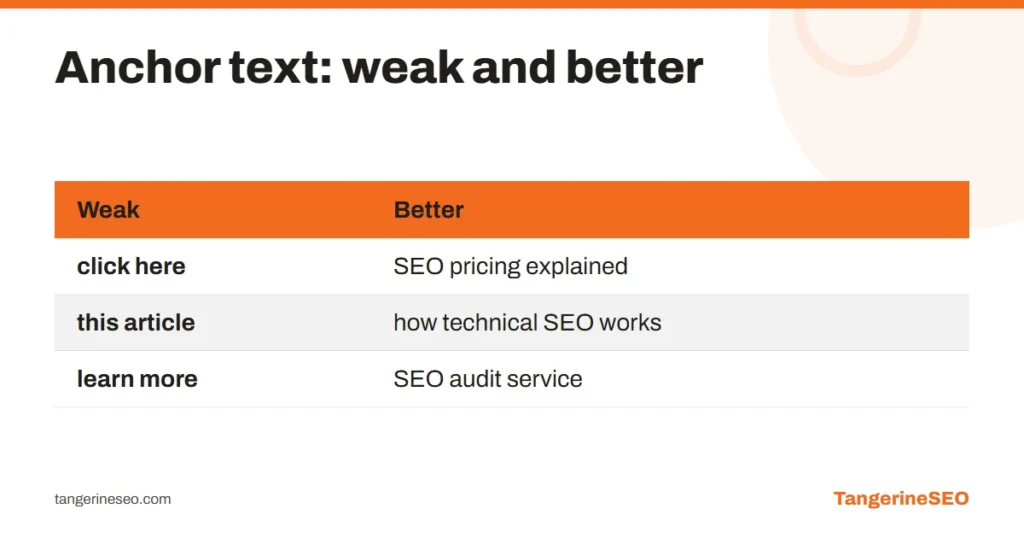
| Weak | Better |
|---|---|
| click here | SEO pricing explained |
| this article | how technical SEO works |
| learn more | SEO audit service |
| the exact same keyword in every link | natural variations: "site audit", "website check", "SEO review" |
The rule is simple: anchor text should tell the reader what they get when they click. Do not repeat the same exact phrase in every link to the same page; it looks mechanical to readers and to Google.
Where links belong
In the copy, where the reader needs them. A link inside the paragraph that explains a problem is worth more than a "Related posts" list at the bottom, because people actually click it.
From blog posts to services. A reader who just learned how an audit works is ready to look at an SEO audit service. Without that link, the article brings visits but no enquiries.
Between related services. Local SEO and Google Ads share customers.
From your strongest pages to the ones you are pushing. The Links report in Search Console shows which pages have the most links. From there, link to pages sitting at positions 8 to 20, which are close to page one.
How many links per page
There is no magic number. For a 1,000 to 1,500-word article, 5 to 10 internal links is natural if each one has a reason. More is fine on long guides that cover many subtopics. Fewer than three is usually a missed opportunity.
Each link should pass one test: would a reader at this exact point plausibly want to go there?
How to find orphan pages
An orphan page has no internal links pointing to it. To find them:
- Export every URL from your sitemap.
- Run a crawler such as Screaming Frog and compare: anything in the sitemap that the crawler did not reach by following links is an orphan.
- In Search Console, the Links report shows internal links per page. Sort from lowest.
For each orphan, decide: it either gets links from related content, or it is surplus and should be merged into another page or removed. Other technical checks are in our technical SEO checklist.
Common mistakes
- An 80-item menu that dilutes every link instead of clear categories.
- Links pointing to redirects. After a URL changes, update internal links rather than relying on the 301.
- Broken links to pages that no longer exist.
- Everything links to the homepage, nothing links to services.
- Auto-linking plugins that link every mention of a word. It quickly becomes unreadable.
Frequently asked questions
What is internal linking?
Connecting pages on the same website with links in copy, menus and footers. It helps readers find related content and helps Google discover pages and understand which ones matter.
How many internal links should an article have?
For a 1,000 to 1,500-word article, usually 5 to 10, as long as each has a reason. Placement matters more than the count.
What is an orphan page?
A page that no internal link points to. Google struggles to find it and rarely treats it as important, so orphans should be linked or merged.
Does anchor text matter for SEO?
Yes. The anchor and the sentence around it tell Google what the destination page is about. It should describe the content without repeating the exact same phrase every time.
Can internal links hurt SEO?
They can if there are far too many without a reason, if they point to redirects or broken URLs, or if the same keyword is mechanically repeated in every anchor.
If you want us to review your site structure and build an internal linking plan, that is part of our on-page SEO service. Reach us through the contact page.