Google Search Console: a beginner's guide from verification to first fixes
Search Console is Google's free tool that shows how Google sees your site: which searches you appear for, which pages are not indexed and why. How to set it up and what to look at first.
Technical SEO7 min read
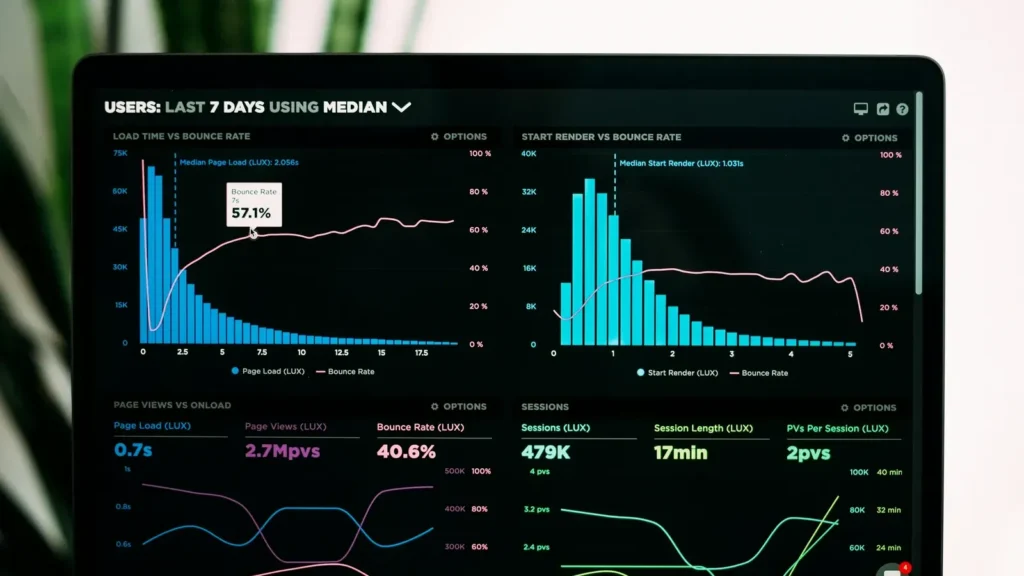
Google Search Console is Google's free tool that shows how Google sees your website: which searches you appear for, how many clicks you get, which pages are indexed and which are not, and why. Setup takes about ten minutes, and the first half hour of use usually uncovers at least one problem nobody had noticed. Where Google Analytics measures what people do on your site, Search Console measures what happens before the click, in search itself.
If you have a website and no Search Console, you are doing SEO blind. Here is how to set it up and what to look at first.
Key takeaways
- Search Console measures search, Analytics measures on-site behaviour. You need both.
- A Domain property verified through DNS covers every version of your address and is the best choice.
- In Performance, look at clicks, impressions, CTR and average position by query and by page.
- The Pages report tells you which pages are not indexed and why. Not every reason is an error.
- Submit your sitemap once, and use URL Inspection for individual pages.
Adding your site: two kinds of property
When you open Search Console, Google asks which kind of property you want.
| Type | What it covers | How it is verified | When to use |
|---|---|---|---|
| Domain | the whole domain: http, https, www and subdomains | a TXT record in DNS | almost always |
| URL prefix | only the exact address you enter | HTML file, meta tag, Analytics or Tag Manager | when you have no DNS access |
A Domain property is the better choice. You see everything in one place and you do not lose data when the site moves from http to https, or from www to non-www. Verification asks you to add one TXT record to your domain's DNS zone, usually in your hosting panel or at your registrar. It stays valid for as long as the record exists.
One trap: the TXT record has to sit on the root domain, not on a subdomain. If you type anything into the "Name" field, many panels create the record in the wrong place and Google never reads it.

Your first 30 minutes: three things
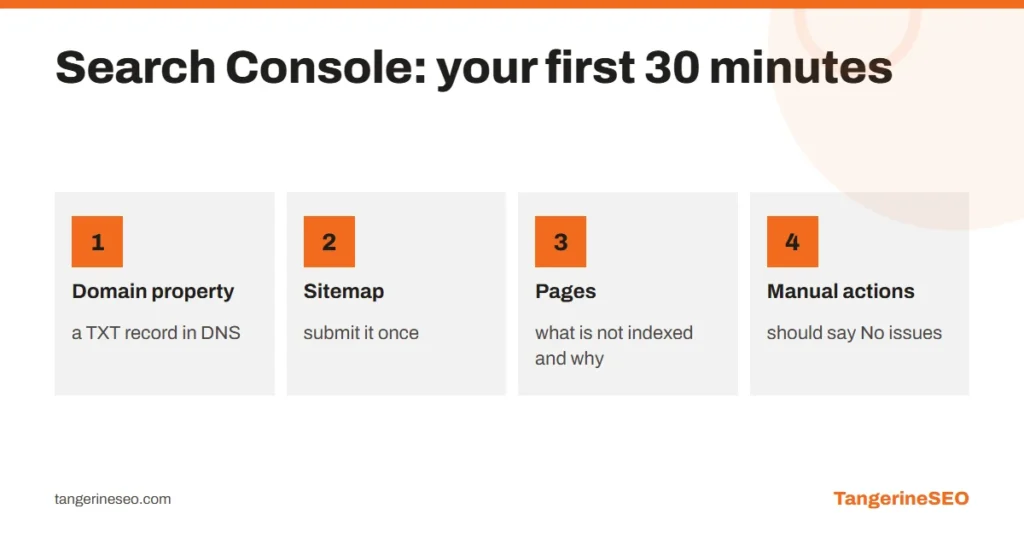
- Submit your sitemap. Under Sitemaps, enter the address, most often
sitemap_index.xmlorwp-sitemap.xmlon WordPress sites. It helps Google find new pages faster. - Open the Pages report and see how many pages are not indexed and for what reason.
- Check Manual actions and Security issues. If either says anything other than "No issues detected", that is priority number one.
Data is collected from the day you verify. A new property shows empty reports for the first few days, and that is normal.
Performance: what the four numbers mean
The Performance report covers search, going back 16 months.
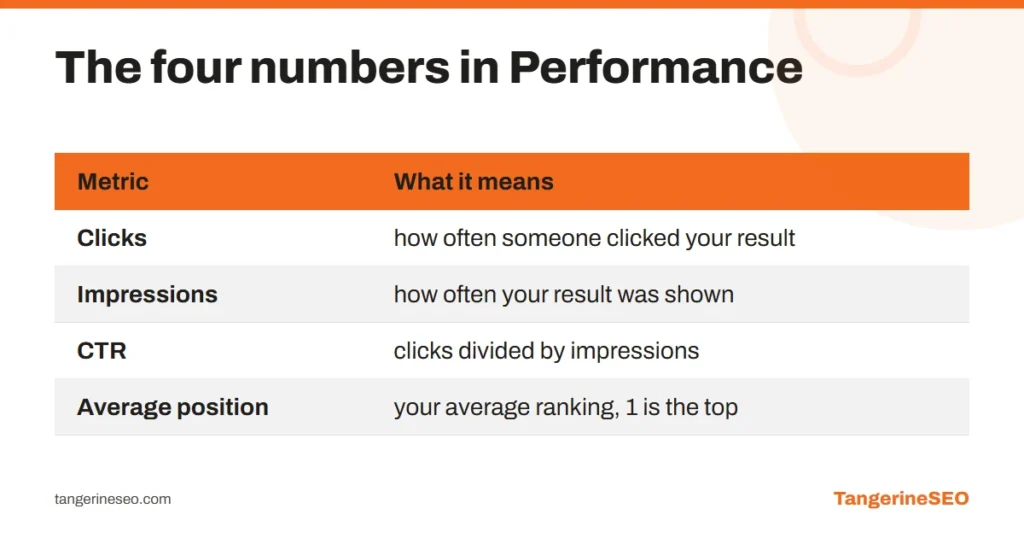
- Clicks: how many times someone clicked your result.
- Impressions: how many times your result appeared in search, even if nobody scrolled to it.
- CTR: clicks divided by impressions.
- Average position: your average ranking, where 1 is the top spot.
The most useful view is the Queries tab. It shows the exact words you appear for. Sort by impressions and look for queries with many impressions and few clicks: those pages need a better title and description, or they sit at positions 8 to 15 and need a push. How to choose which words to target is covered in our keyword research guide.
Pages: why a page is not indexed
This is the report that worries people most, because it shows a large "Not indexed" number. Most of those reasons are not errors.
| Reason | What it means | Is it a problem? |
|---|---|---|
| Alternate page with proper canonical tag | the page points to another as the main version | no, that is how it should work |
| Page with redirect | the address redirects elsewhere | no, if the redirect is intended |
| Excluded by noindex tag | the page is deliberately excluded | only if it should not be |
| Not found (404) | the page does not exist | check whether anything links to it |
| Duplicate without user-selected canonical | Google found a duplicate | yes, fix the canonical |
| Crawled, currently not indexed | Google saw the page and chose not to index it | yes, usually thin or repetitive content |
| Discovered, currently not indexed | Google knows the page but has not visited it | yes, common on large sites with weak internal linking |
The last two are the ones that deserve attention. "Crawled, currently not indexed" usually means the content is not valuable enough or too similar to another page. "Discovered" often means not enough internal links point to the page, which we cover in our guide to internal linking. Technical causes are in the technical SEO checklist.
URL Inspection: one page under the microscope
Enter the address of any page on your site into the bar at the top and you get:
- whether it is indexed and when Google last crawled it
- which canonical address Google chose
- whether it renders properly on mobile and how Google sees it
The Request indexing button asks Google to revisit the page. It is useful after a major edit or for a new page, but it does not speed up hundreds of pages: there is a daily limit, and the sitemap does that job for the whole site.
Other reports worth knowing
Core Web Vitals shows page speed based on real visitor data, split into mobile and desktop. What LCP, INP and CLS mean is explained in our article on website loading speed.
Links shows which pages have the most external and internal links. If an important service page has two internal links and an old blog post has twenty, there is work to do.
Removals lets you hide a page from results urgently, for example after a mistake. It is temporary, around six months.
How often to check Search Console
| What | How often |
|---|---|
| Performance, queries and pages | weekly or monthly |
| Pages, indexing reasons | monthly and after any major site change |
| Manual actions and Security issues | Google emails you, but check monthly |
| Core Web Vitals | after theme, plugin or hosting changes |
After a site migration or domain change, check it daily for two to three weeks. That is when problems surface fastest.
Where Search Console stops
Search Console shows your site, not your competitors. It does not tell you why someone else ranks above you, or how many people search for a word you do not appear for yet. That needs research tools and competitor analysis, which are part of our SEO audit service. If you want to run a basic check yourself first, we wrote it up step by step in how to do an SEO audit.
Frequently asked questions
Is Google Search Console free?
Yes, completely. All you need is a Google account and access to your site or your domain's DNS to verify ownership.
What is the difference between Search Console and Google Analytics?
Search Console measures what happens in search before the click: impressions, clicks, positions and indexing. Analytics measures what people do on the site after they arrive. For SEO you need both.
How soon does data appear after adding a site?
Data is collected from the day of verification. The first numbers usually appear within two to three days, and the indexing report can take longer.
Why are so many pages not indexed?
Most reasons are not errors: redirects, canonicals pointing to another page and intentional noindex. The ones that matter are "Crawled, currently not indexed" and "Discovered, currently not indexed", which usually mean weak content or weak internal linking.
Does Request indexing improve rankings?
No. It only speeds up a recrawl of one page. Rankings depend on content and signals, not on how many times a page is submitted.
If you have opened Search Console and are not sure what to do with what you see, book SEO consulting. In an hour we go through your account and build a list of priorities.