How to do an SEO audit yourself: a one-hour check in six steps
You can run a basic SEO audit yourself in about an hour, with free tools: Search Console, PageSpeed Insights and plain Google search. Six steps, what to look for and when a professional audit is worth it.
Technical SEO6 min read

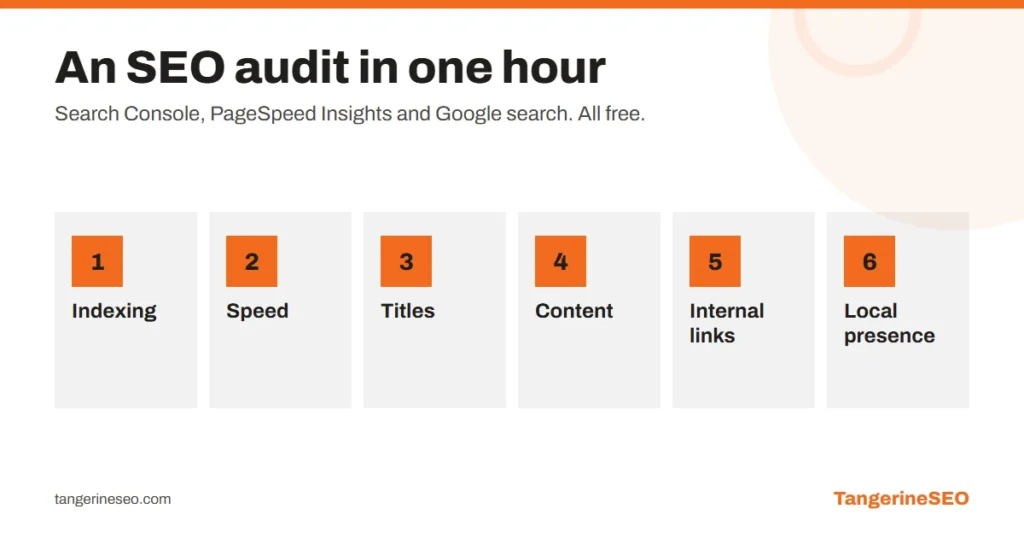
An SEO audit is a systematic check of a website that shows what stops Google from finding, understanding and ranking it. You can do a basic version yourself in about an hour, with three free tools: Google Search Console, PageSpeed Insights and ordinary Google search. You check six things: whether the site is indexed, how fast it is, whether pages have good titles, whether content matches what people search for, how pages link to each other and whether the business is visible locally.
This audit will not find everything. It will find what most often holds back small and mid-size sites, which is enough to know whether you have a problem.
Key takeaways
- Tools: Search Console, PageSpeed Insights and Google search with
site:. All free. - Six checks: indexing, speed, titles and descriptions, content, internal links, local presence.
- Log findings in a table with three columns: problem, page, impact.
- Fix by impact on revenue, not in the order you found things.
- Online stores and sites with hundreds of pages need a professional audit.
Step 1: is the site indexed? (10 minutes)
Type site:yourdomain.com into Google. The number of results is a rough estimate of how many pages Google knows.
- Far fewer than you have? Something is blocking indexing.
- Far more? Google is indexing duplicates, filters, internal search pages or old URLs.
Then open Google Search Console and the Pages report. Look at why pages are not indexed. "Crawled, currently not indexed" and "Discovered, currently not indexed" on important pages are a red flag. Check that your sitemap is submitted and error-free.
A quick check that saves sites: open yourdomain.com/robots.txt and make sure it does not say Disallow: /. It happens after a staging site goes live on the real domain.

Step 2: mobile speed (10 minutes)
In PageSpeed Insights, test three URLs: the homepage, one service or product page and one blog post. Look at the mobile results and at field data from real users, if it exists.
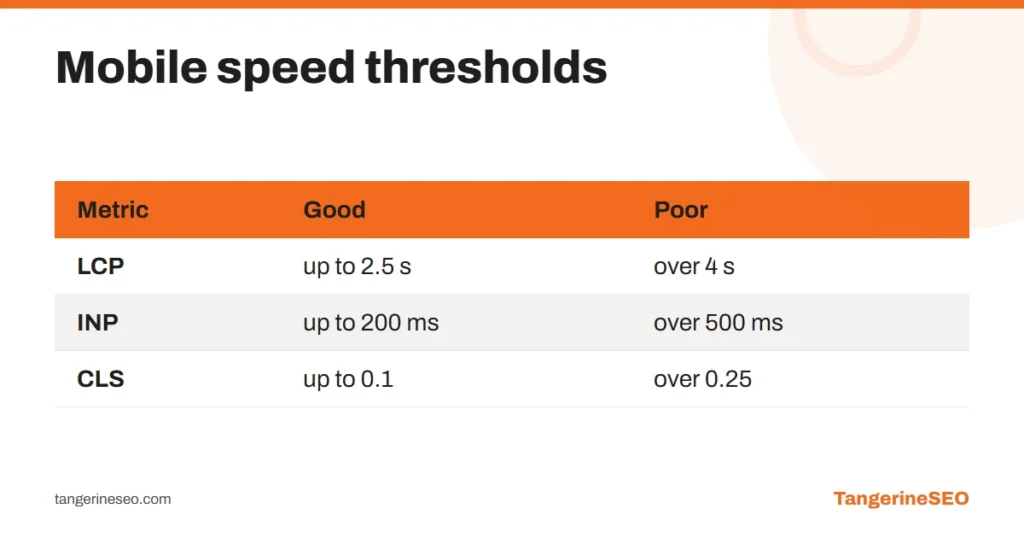
| Metric | Good | Poor |
|---|---|---|
| LCP, main content appears | up to 2.5 s | over 4 s |
| INP, response to a tap | up to 200 ms | over 500 ms |
| CLS, layout shift | up to 0.1 | over 0.25 |
The usual causes are oversized images, too many plugins and slow hosting. What each metric means and what to fix first is in our article on website loading speed.
Step 3: titles and descriptions (10 minutes)
Search site:yourdomain.com and read the first two pages of results as a customer would. Ask:
- Does every page have a different title, or does "Home | Company" repeat?
- Does the title say what the page is and who it is for, using the words people search?
- Is the description under the title meaningful, or did Google pull a random sentence?
- Are titles cut off mid-word? Aim for 50 to 60 characters.
Duplicate and empty titles are the easiest quick win in the whole audit.
Step 4: content versus search (15 minutes)
Take the three most important keywords for your business. Search them and look at the top five results.
- What type of page ranks? Service pages, blog posts, directories?
- What do they have that you do not? Prices, examples, answers to questions, project photos?
- Which of your pages targets that keyword? If you are not sure, none does.
- Do two of your pages target the same thing? Then they compete with each other.
This is the part of the audit no tool can do for you. How keywords are assigned to pages is covered in our keyword research guide.
Step 5: internal links (10 minutes)
Open your three most important service pages and check:
- How many links point to them from the copy of other pages, not just the menu?
- Do blog posts link to the services they discuss?
- Are there pages you can only reach through the sitemap?
In Search Console, the Links report shows internal links per page. An important service page with two internal links is a missed opportunity. The rules are in our internal linking guide.
Step 6: local presence (5 minutes)
If you serve customers in a specific city, search your business name and "your service + city". Check:
- whether your Google Business Profile appears, with correct hours and phone number
- whether it has photos and replies to reviews
- whether name, address and phone match on the site, the profile and directories
Local SEO has its own rules, covered in our local SEO guide.
How to log findings
One table, four columns:
| Problem | Where | Impact | Effort |
|---|---|---|---|
| robots.txt blocks /services/ | whole section | high | 5 minutes |
| duplicate titles | 12 pages | medium | 1 hour |
| LCP 5.8 s on mobile | product pages | high | 1 to 2 days |
| service page with no internal links | /installation/ | medium | 30 minutes |
Fix high impact, low effort first. A 300-item list from an automated tool helps nobody. Five items in order of priority do.
When you need a professional audit
You will find the basics yourself. A professional audit is worth it when:
- the site has hundreds or thousands of pages, like an online store
- traffic is dropping and you do not know why
- you are preparing a migration to a new site or domain
- you have done everything in this article and rankings are flat
Our SEO audit covers more than 200 checkpoints and delivers findings ranked by revenue impact, with a 90-day plan, delivered within 10 working days. A deeper technical list is in the technical SEO checklist.
Frequently asked questions
What is an SEO audit?
A systematic check of a website that shows what stops Google from finding, understanding and ranking it: indexing, speed, titles, content, links and local visibility, with a prioritised list of fixes.
Can I do an SEO audit myself?
A basic one, yes, in about an hour with Search Console, PageSpeed Insights and Google search. Large sites, traffic drops and migrations need a professional audit.
How often should I audit my website?
A basic check every three to six months, and always after a redesign, platform change or domain change.
What should I fix first after an audit?
High-impact, low-effort items: indexing blocks, duplicate titles and important pages without internal links. Speed and content come right after.
How long does a professional SEO audit take?
Ours takes up to 10 working days and ends with findings ranked by impact and a 90-day plan.
If you have gone through these six steps and are unsure what matters most, book SEO consulting and walk through the findings with us.